Two full-power environments, included
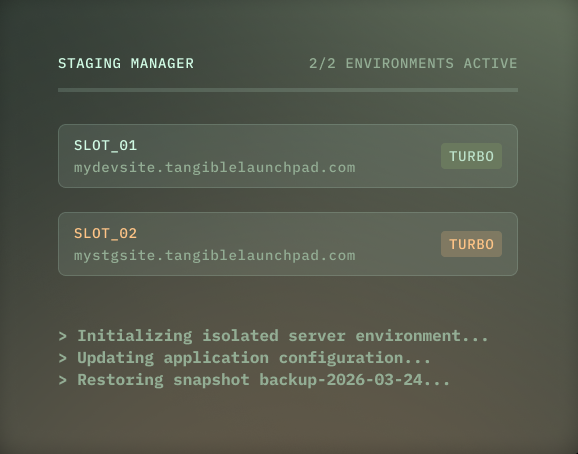
Most hosts either charge $20 per month extra for each “premium” resource-matched staging if they offer them at all, or give you underpowered environments that can’t reliably run your LMS stack. We give you two, and both run at the same resource allocation as your live site.
That matters because course and membership sites aren’t simple. LearnDash, LifterLMS, MemberPress, every LMS and membership plugin is resource-intensive under realistic load. A staging environment that’s too slow to navigate and can’t be used for load testing is next to useless.
When you buy a TangibleXP application plan, you’re effectively getting three fully-resourced WordPress installations for the price of one: your live site, and two staging environments ready to run whatever you throw at them.
Two slots, two workflows running in parallel
Having two staging environments solves a real coordination problem. We suggest using one environment for your developers to build and test new features and the second for you to validate plugin updates, theme changes, or infrastructure changes independently or as a longer-lived sandbox to test a complex integration over days or weeks without it interfering with day-to-day maintenance testing on the first.
Isolated by design
Your staging environments run on physically separate servers from your live site. They share nothing.
This isn’t just an implementation detail, though, it’s a deliberate architectural choice. A staging environment that shares infrastructure with production creates a risk that heavy testing activity degrades your live site’s performance.
With TangibleXP staging, what happens on staging stays on staging. Your live site is unaffected, regardless of what you’re running or how hard you’re pushing the test environment.
No staging-to-live push
Most hosting platforms offer a one-click button to push your staging database to your live site. We intentionally don’t.
For a brochure site, overwriting the live database from staging is a reasonable workflow. For a course or membership site, it’s catastrophic. Your live database holds student progress, enrollment records, membership status, subscription history, and purchase data. A staging database holds none of that. One wrong click from a team member who doesn’t fully understand the implications, and that data is gone. We removed the button to remove the risk.
If you need to manually migrate specific data or run a wp db import, you can. But we decided not to put a one-click option in front of people that could silently destroy years of customer records on a busy platform.